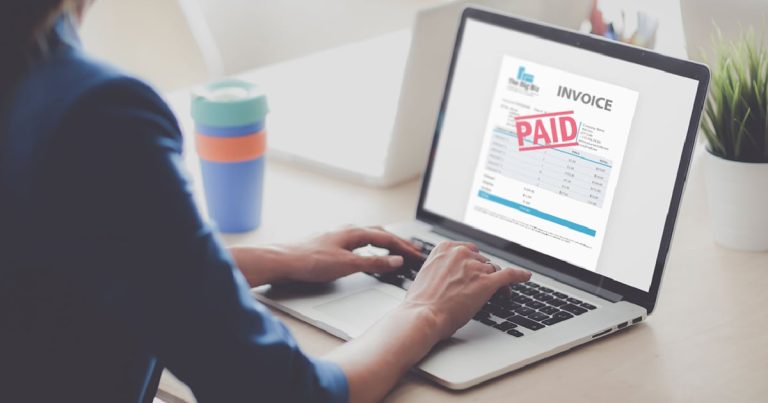
Invoice automation in the UK simply means using software to create, send, chase and reconcile invoices without doing every step by hand. If you’re a small business owner still typing invoices into Word and manually checking your bank feed, automating payments could save you hours each week and get you paid faster, often the difference between a healthy cash flow and a stressful month-end.
The good news is that you don’t need to be technical or expensive to start. Modern invoicing software (a tool that generates and manages your bills) and accounts payable automation (software that handles the invoices you receive and need to pay) can be set up in an afternoon. This guide explains what to automate, what it costs in pounds, and how to stay on the right side of HMRC.
What does “automating invoices and payments” actually involve?
Automation covers both sides of the ledger:
- Money in (accounts receivable): creating invoices from templates, sending them automatically, adding “pay now” buttons, and chasing late payers with polite reminders.
- Money out (accounts payable): capturing supplier bills, approving them, scheduling payments, and matching everything against your accounts.
The aim is to remove repetitive admin, and it fits neatly within the operations stack every sub-£1m business should know about. Instead of writing the same invoice every month or remembering to chase a customer, the software does it on a schedule you set.
The benefits for a small business
Beyond saving time, and once you learn how to know automation has paid off, it tends to:
- Get you paid faster. When customers can pay by card or direct debit straight from the invoice, they tend to settle sooner.
- Reduce errors. No more transposed numbers or forgotten VAT.
- Improve cash flow visibility. You can see at a glance who owes what and when it’s due.
- Keep you compliant. Since Making Tax Digital (MTD) for VAT applies to VAT-registered businesses, digital record-keeping is now a legal requirement, not a nice-to-have.
Popular tools and what they cost
Most UK small businesses start with mainstream accounting software that includes invoicing:
- Xero, QuickBooks and Sage all offer invoicing, automated reminders and bank reconciliation. Plans typically start from around £10, £15 a month, rising with features and user numbers.
- FreeAgent is free for some Mettle and NatWest/RBS business account holders, which suits sole traders and micro-businesses.
- Standalone tools such as GoCardless (for recurring direct debit payments) or Stripe (for card payments) plug into these systems to collect money automatically. They usually charge a small percentage per transaction rather than a monthly fee.
Prices change, so always check current rates before committing. Many providers offer a free trial.
How to set up invoice automation step by step
Here’s a realistic route for a small business:
- Choose your software. Pick a tool that’s MTD-compatible (HMRC lists recognised software on gov.uk) and matches your bank.
- Connect your bank feed. This lets the software import transactions and match them to invoices automatically.
- Build branded templates. Add your logo, payment terms and company details. Limited companies must show their registered company number and registered office, as recorded at Companies House.
- Set up recurring invoices. For retainer clients or subscriptions, the system can send the same invoice every month without you lifting a finger.
- Turn on automatic reminders. A gentle nudge a few days before and after the due date does the chasing for you.
- Add online payment options. Connect a card or direct debit provider so customers can pay instantly.
Automating the bills you receive
Accounts payable automation is often overlooked but just as valuable. Tools like Dext or the bill-capture features built into Xero and QuickBooks let you photograph or forward a supplier invoice, then read the figures automatically and queue it for approval and payment. This reduces late-payment charges and keeps your records tidy for your accountant.
Staying compliant and secure
A few practical points:
- Keep digital records for at least six years, as HMRC generally requires.
- If you’re VAT-registered, make sure your VAT invoices show all the legally required details.
- Use a reputable payment provider that is FCA-authorised, and enable two-factor authentication on your accounting login.
What to do next
- Start a free trial of one MTD-compatible invoicing tool this week and connect your business bank account.
- Create one recurring invoice and one automatic reminder so you can see the time saving in practice.
- Add an online payment button to your next invoice and compare how quickly you get paid.
- Speak to your accountant or bookkeeper before switching fully, so your setup matches how they file your accounts and VAT.
Automation won’t replace good judgement, but for most small businesses it quietly removes the admin that gets in the way of getting paid, and that’s time you can spend on the work that actually grows your business.
A closer look at the numbers: what invoice automation really costs
Headline monthly prices only tell part of the story. When you budget for automation, factor in the software subscription, the transaction fees on payments collected, and any add-ons for bill capture or extra users. Here is a realistic breakdown for a typical VAT-registered small business collecting a few thousand pounds a month.
| Tool | Typical UK cost (2026) | Best for | Watch out for |
|---|---|---|---|
| Xero (Ignite/Grow) | From around £16 to £33 a month | Growing businesses wanting strong app integrations | Cheapest plan limits invoice and bill volume |
| QuickBooks (Simple Start/Essentials) | From around £16 to £34 a month | Sole traders and VAT filers wanting a clean interface | Multi-currency only on higher tiers |
| Sage Accounting | From around £15 to £39 a month | Businesses wanting UK phone support | Fewer third-party integrations than Xero |
| FreeAgent | Free with a NatWest, RBS, Mettle or Ulster account, otherwise about £19 to £33 a month | Contractors and micro-businesses | Less suited to inventory-heavy trades |
| Dext (bill capture) | From around £20 a month | Firms with lots of supplier receipts | Adds up alongside your main subscription |
| GoCardless (direct debit) | Roughly 1% plus 20p per transaction, capped | Recurring or retainer payments | Payments take a few days to clear |
| Stripe (card payments) | About 1.5% plus 20p for UK cards | One-off invoices and online sales | Higher fees on international cards |
As a rough guide, a sole trader might spend £15 to £20 a month all in, while a small limited company using bill capture and collecting card payments could realistically budget £40 to £70 a month plus a percentage on what it collects. Compare that against the hours you currently spend on admin. If automation saves you three hours a week and your time is worth £25 an hour, that is £300 a month of freed-up capacity for well under a quarter of the cost.
Common pitfalls and how to avoid them
Automation is powerful, but it can go wrong if you set it and forget it. These are the mistakes we see most often.
- Reminders that feel robotic. A blunt automated chase can annoy good customers. Space your reminders sensibly (for example, three days before due, on the due date, then seven and fourteen days after) and keep the tone polite. Reserve firmer wording for genuinely overdue accounts.
- Duplicate payments on the payables side. Bill-capture tools occasionally read the same invoice twice if a supplier emails it and posts it. Always review the approval queue before scheduling payment.
- Mismatched bank feeds. If your feed drops out (which happens after bank security updates), transactions stop importing and your reconciliation drifts. Check the feed is live at least weekly.
- Wrong VAT treatment on recurring invoices. A template set up once will keep repeating any error. Double-check the VAT rate, especially if a client moves between standard, reduced or zero-rated work.
- Over-automating before you understand the flow. Automate one process, watch it for a fortnight, then add the next. Turning on everything at once makes it hard to spot what has gone wrong.
- Ignoring failed payments. Direct debits and cards fail for all sorts of reasons. Set up notifications so you know immediately and can arrange a retry, rather than discovering it at month-end.
Getting the workflow right from day one
The businesses that get the most from automation treat it as a proper process rather than a set of features. A clean end-to-end flow looks like this:
- Agree terms up front. State your payment terms (commonly 14 or 30 days) on quotes and in your contract, so the automated due dates match what the customer expects.
- Standardise your invoice numbering. Let the software handle sequential numbers to avoid gaps that confuse HMRC and your accountant.
- Batch your approvals. Set aside ten minutes twice a week to approve incoming bills and outgoing payments, rather than reacting to each one.
- Reconcile little and often. A few minutes daily beats a painful two-hour session at the end of the month.
- Review the debtor report weekly. Automation chases for you, but a human eye still spots the customer who needs a phone call rather than another email.
Handling late payers without the awkwardness
Late payment is the single biggest cash-flow headache for UK SMEs. Automation helps because the system does the nagging, so you stay on good terms with the customer. Beyond automated reminders, remember that under the Late Payment of Commercial Debts legislation you are entitled to charge statutory interest (currently the Bank of England base rate plus 8%) and a fixed compensation sum on overdue commercial invoices. You do not have to use it, but noting the entitlement on your invoice template can encourage prompt payment. For persistent offenders, offering a small early-settlement discount or requiring a deposit before work starts often solves the problem more effectively than chasing after the event.
When to bring in your accountant
Before you commit to a platform, ask your accountant or bookkeeper which system they already work in. Many offer discounted partner subscriptions, and using the same software as your adviser means smoother VAT returns and year-end accounts. If you are switching from spreadsheets or an older package, plan the changeover for the start of a VAT quarter or financial year so your records break cleanly. A short handover session with your accountant, often an hour or two, pays for itself in avoided reconciliation headaches later.
Frequently asked questions
Is invoice automation suitable if I only send a few invoices a month?
Yes. Even at low volumes, automated reminders and online payment buttons get you paid faster, and MTD-compatible software keeps you compliant. Many sole traders use free or near-free plans, so the cost is minimal.
Will automated invoicing keep me compliant with Making Tax Digital?
It will, provided you choose HMRC-recognised software and keep your records digitally. The software stores the required VAT details and lets you file returns directly, which is exactly what MTD for VAT requires of registered businesses.
How long does it take to set up?
Most small businesses can connect a bank feed, build a branded template and turn on reminders in an afternoon. Adding payment providers like Stripe or GoCardless may take a day or two while your account is verified.
Are online payments through invoices safe?
They are, as long as you use an FCA-authorised provider such as Stripe or GoCardless and enable two-factor authentication on your accounting login. These providers handle card data securely, so you never store sensitive details yourself.
Can automation completely replace chasing customers myself?
Not entirely. Automated reminders handle the routine nudges, but a personal phone call still works best for stubborn late payers or larger sums. Treat automation as your first line of defence and reserve your time for the accounts that genuinely need it.